

Turn Your Visitors into Buyers
July 23, 2007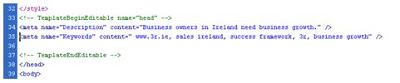
How Meta Tags Will Boost Your Search Engines Ranking
August 13, 2007

Hello, people!
Hope you are all well. This week I will outline some ways of preventing cancellation of the buying process after you have got the attention of your visitors, their interest and desire for your product. You need to generate trust and to make the ordering process clear & secure.
Generate TrustAlthough many of us probably do not pay particular attention to Contact Details and Privacy Policy when browsing the Internet, these are vital parts looked for especially during the purchasing process in order to make sure that you are a serious company. Apart from that, Testimonials could add trustworthiness to your landing page, too, as they are kind of confirmation and a referral from the REAL people who have already tried your products or services and who didn’t mind to publish their names (sometimes their occupation and pictures as well) and you can possibly find them, if you need to confirm their positive statements.
Last but not least, the trust in your company and products will be supported effectively when you offer an unconditional money-back guarantee if at all possible. This will prevent the fear, uncertainty and doubt about moving towards the purchase.
Make Your Ordering Process Clear & SecureIn general, over 60 percent of online shoppers abort the ordering process. It’s a pity that after gaining their attention, interest and desire you can still lose them due to a complicated, unclear or unsafe ordering process. To prevent this, try to follow the advice:
1. When already in the purchasing process, don’t hide the price for your products or services. People will not continue if they don’t know how much they have to pay.
2. Tell your visitors upfront about your refund policy.
3. Tell your visitors about all additional costs and taxes they have to pay, so that they know the final price before they have to enter the credit card number.
4. Make sure that your order pages are easy to understand. Test them with your friends or relatives who don’t browse the Internet very often.
5. Make sure that your order page shows an understandable notice if the customer forgets to enter the email address or any other required field.
6. Make sure that your order pages work internationally. Some countries don’t have postal numbers or their regional structuring can be different from yours.
7. It’s very important that your order pages are secure. Use as much encryption as you can and use the additional security services such as Verified by Visa and MasterCard SecureCode.
8. Test your order pages regularly in order to make sure they work.


